GitHub Copilot vs Cody
Detailed comparison of GitHub Copilot and Cody — pricing, features, pros and cons.
The Contender
GitHub Copilot
Best for AI Coding
The Challenger
Cody
Best for AI Coding
The Quick Verdict
Choose GitHub Copilot for a comprehensive platform approach. Deploy Cody for focused execution and faster time-to-value.
Independent Analysis
Feature Parity Matrix
| Feature | GitHub Copilot from $10/mo | Cody |
|---|---|---|
| Pricing model | freemium | freemium |
| free tier | ||
| api access | ||
| ai features | ||
| integrations | VS Code, JetBrains, Neovim |
GitHub Copilot vs. Cody: A 2026
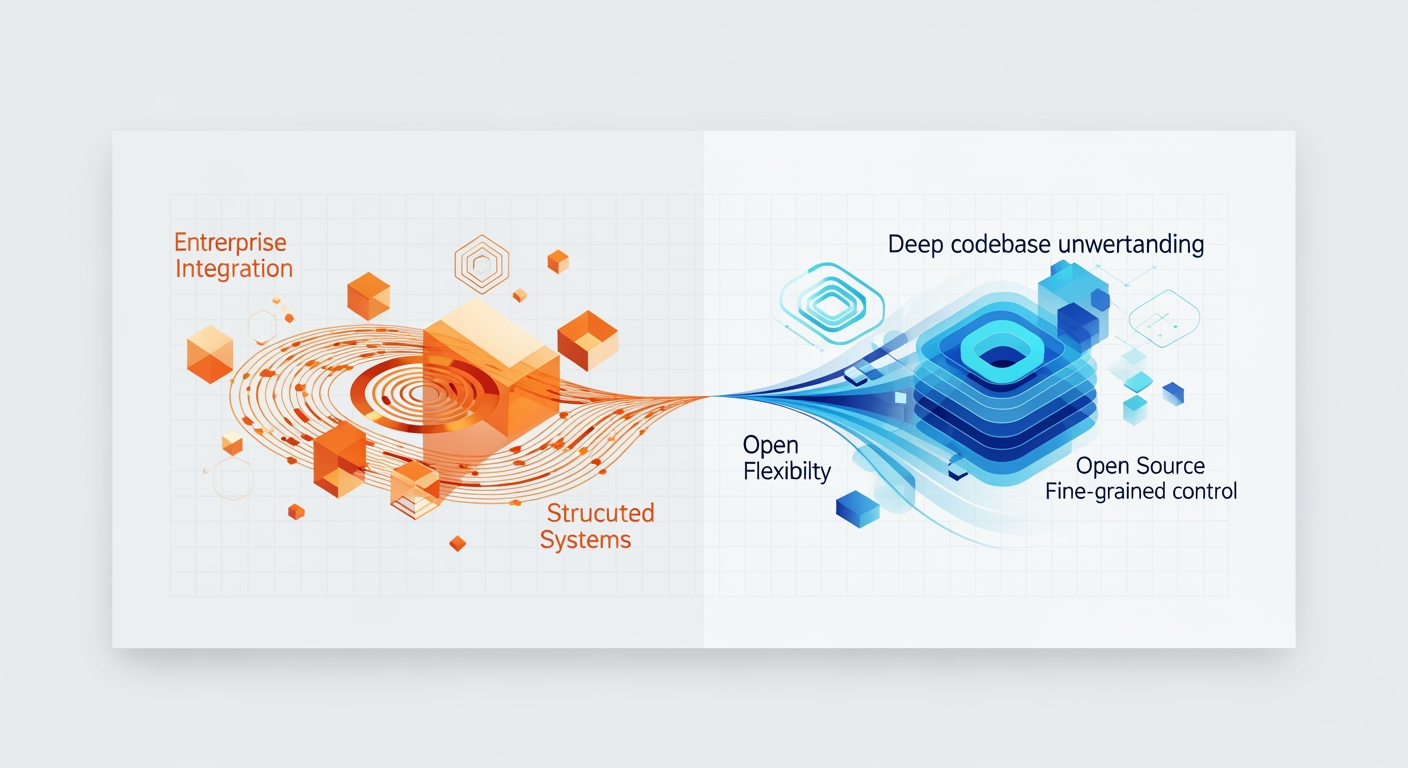
The landscape of AI-powered coding assistants is evolving at a breakneck pace. By 2026, both GitHub Copilot and Cody will have matured significantly, offering more sophisticated capabilities, deeper integrations, and refined business models. This detailed comparison projects their state in 2026, considering current trends and anticipated advancements. By 2026, AI coding assistants will be essential for most developers. GitHub Copilot is set to lead, offering tight enterprise integration and custom model training on private data. Cody, however, will attract developers who value a deep understanding of their codebase, open-source options, and fine-grained control over LLMs. Your decision in 2026 will hinge on your team's size, privacy requirements, and how much customization you need. The real difference won't just be about generating code; it'll be about truly understanding context, anticipating issues, and fitting effortlessly into complex enterprise systems.
GitHub Copilot vs. Cody: 2026 Quick Comparison
| Feature/Aspect | GitHub Copilot (Projected 2026) | Cody by Sourcegraph (Projected 2026) |
|---|---|---|
| Core Focus | Smooth integration, enterprise scalability, private model fine-tuning. | Deep codebase context, open-source flexibility, granular LLM control. |
| Individual/Pro Pricing | $12/month (Individual), $25/user/month (Business) | Free (Community), $18/month (Pro) |
| Key Strengths | Microsoft backing, deep enterprise integration, private model fine-tuning, strong security & compliance. | Advanced RAG for codebase context, LLM flexibility, self-hosting options, open-source community. |
| Best For | Large enterprises, teams needing strict compliance & custom models, developers in Microsoft ecosystem. | Individual power users, teams prioritizing codebase understanding, open-source projects, LLM experimentation. |
| Context Window | Limited to project scope, some cross-repository awareness (Business/Enterprise). | Deep codebase context across private repositories via RAG. |
| LLM Access | Latest OpenAI models (e.g., GPT-5 equivalent), private fine-tuning. | Selection of open-source LLMs, unlimited commercial LLMs (Anthropic, OpenAI, Google Gemini Code) for Pro. |
Pricing Breakdown: Projected 2026 Tiers and Costs
Pricing models will offer more specific options to reflect their increased value and varied applications.Pro tip
When evaluating tiers, look for features like private model fine-tuning or advanced compliance, as these indicate a vendor's commitment to enterprise needs. Always calculate the total cost of ownership, factoring in data sovereignty and integration costs, not just the monthly fee.
GitHub Copilot (Projected 2026)
Backed by Microsoft and using the latest OpenAI models, GitHub Copilot will probably keep a tiered structure, with stronger enterprise features. Its enterprise offerings will focus on integration within the Microsoft ecosystem.Copilot Individual (Personal Developer)
Designed for individual developers, this tier offers core AI assistance. It costs $12/month or $120/year. This reflects enhanced capabilities and widespread adoption. Individual users get unlimited code suggestions, completions, and chat. It works with all major IDEs, including VS Code, JetBrains, Neovim, and Visual Studio.Observation
Developers often find its smooth IDE integration makes it feel like an extension of their thoughts, boosting productivity effortlessly.
Copilot Business (Small to Medium Teams)
Teams needing centralized management and better security will choose this tier. It costs $25/user/month or $250/user/year, with a minimum of 5 users. Includes all Individual features. Billing and license management are centralized, simplifying administration. Better security features, like IP allowlisting and audit logs, protect team assets. Policy controls let organizations disable public code suggestions or enforce specific coding standards. Priority support resolves issues quickly. The context window expands to cover the current project and offers limited cross-repository awareness. Improved data privacy means code snippets do not contribute to general model improvement by default. Enterprise-specific fine-tuning options are also available.Copilot Enterprise (Large Organizations & Custom Needs)
Large organizations with strict requirements will find solutions here. Pricing is custom, starting from $50/user/month, with volume discounts available. This tier includes all Business features. What truly sets it apart is private model fine-tuning. Organizations can securely train Copilot's core model within Azure, using their *private codebases*, internal documentation, and specific coding patterns. This custom training is a crucial advantage.Observation
For large enterprises, Copilot can be a game-changer for consistency, security, and accelerating legacy modernization efforts.
Cody by Sourcegraph (Projected 2026)
Cody, focusing on understanding codebases and open-source options, will likely offer more fine-grained control over LLMs and self-hosting. Its pricing reflects granular control and self-hosting options.Cody Free (Community & Open Source)
This free tier supports community users and open-source projects. It offers basic code completion and chat. The context window limits to the current file. Users can access a selection of open-source LLMs (e.g., Llama 3, Code Llama) and limited commercial models (e.g., Anthropic Claude, OpenAI GPT) through Sourcegraph's API. Basic codebase indexing works for public repositories. Community support is available. Daily and monthly usage quotas limit extensive use.Cody Pro (Individual Power User)
Individual developers who need a deeper understanding of their codebase will choose Cody Pro. The cost is $18/month or $180/year. This includes all Free features, plus expanded usage quotas. Users gain unlimited code suggestions, completions, and chat interactions, along with enhanced context. Unlimited access to commercial LLMs from Anthropic, OpenAI, and Google Gemini Code is included. Deep codebase context is a major advantage. Advanced RAG (Retrieval Augmented Generation) works across personal private repositories, allowing Cody to understand your entire codebase. Intelligent code search and navigation (powered by Sourcegraph's core platform) become available. Refactoring, test generation, and complex code explanation are supported. Priority email support is included. Local model execution options offer enhanced privacy if hardware permits.Cody Team (Collaborative Development)
Teams requiring shared context and collaboration features will find this tier suitable. It costs $35/user/month or $350/user/year, with a minimum of 3 users. All Pro features are included. Shared codebase context is central, with centralized indexing and RAG across team repositories, ensuring consistent AI understanding. Collaboration features within Cody Chat enable sharing AI-generated code and discussing suggestions. Policy enforcement for LLM usage and data handling is provided. Integration with team-specific documentation, such as Confluence or internal wikis, is possible. An admin dashboard offers usage analytics and access control. A dedicated support channel assists teams.Cody Enterprise (Large Organizations & On-Premise)
Large organizations with strict data sovereignty and customization needs will opt for Cody Enterprise. Pricing is custom, starting from $60/user/month, with volume discounts. This tier includes all Team features. A self-hosted option allows deployment of Cody entirely within your private infrastructure, ensuring maximum data sovereignty. This includes local LLM execution. Custom LLM integration lets organizations bring their own fine-tuned LLMs or integrate with internal models. Advanced RAG and knowledge graph capabilities build a comprehensive knowledge graph of your entire enterprise codebase, internal APIs, documentation, and historical data for unparalleled contextual understanding. Automated Code Agents can be deployed for proactive code review, dependency analysis, security scanning, and compliance checks tailored to internal standards. Granular access control and auditing provide fine-grained permissions for who can access what code context and LLM capabilities. Integration with enterprise identity providers (SSO) is standard. A dedicated technical account manager and 24/7 premium support ensure operational excellence. Full compliance certifications, including SOC 2 Type 2 and ISO 27001, are met.Feature Deep Dive: Core Capabilities in 2026
Both tools will offer core AI coding features. Their strengths will lie in their approach to context and integration.GitHub Copilot (Projected 2026)
Copilot will be the general-purpose powerhouse, deeply integrated into the Microsoft ecosystem.Hyper-Contextual Code Completion & Generation
Copilot will move beyond simple line completions. It understands the entire project structure, open files, recent changes, and even relevant documentation within the GitHub/Azure ecosystem. It will generate multi-file solutions, not just single functions. For example, if you request an authentication flow using an existing OAuth provider, Copilot generates handler, service, and test files, updating configuration as needed. This accelerates development significantly.Advanced Copilot Chat & Agentic Capabilities
Chat functionality evolves into a full-fledged AI agent. This agent will not just answer questions; it will act on them. You can direct it to "Find all deprecated API calls in this repo and suggest replacements." It will generate unit tests covering specific branch coverage or refactor legacy components to new microservice patterns. It proposes changes, generates pull requests, and executes simple commands. Imagine asking Copilot to analyze a performance bottleneck in `UserService.java`; it identifies the database query, suggests indexing, and provides refactored code.Multimodal Input & Understanding
Copilot will accept diverse inputs. Beyond natural language and code, it processes visual inputs. Upload a UI sketch, a database schema diagram, or a sequence diagram. Copilot generates corresponding code or suggests architectural changes. You could upload a screenshot of a web page and instruct it to "Generate the React component for this section, using our internal UI library." This bridges design and development.Enterprise-Grade Security & Compliance (Copilot Enterprise)
Built-in vulnerability scanning, using Microsoft's security intelligence, becomes standard. It performs license compliance checks. It ensures adherence to internal coding standards. Generated code is vetted against known patterns of insecure code. Copilot flags a generated code snippet for an insecure hashing algorithm, suggesting a compliant alternative based on company security policies. This proactive security helps maintain code integrity.Proactive Development Insights
Integrated with GitHub Actions and Azure DevOps, Copilot proactively suggests improvements. It responds to CI/CD failures, code review comments, and common bug patterns in the codebase. After a failed build, Copilot suggests a fix based on error logs and common solutions for that error type. This reduces debugging time and improves code quality.Cody by Sourcegraph (Projected 2026)
Cody excels as the "codebase whisperer," deeply understanding complex, proprietary codebases.Unparalleled Codebase-Awareness (RAG 2.0)
Cody's core strength lies in its advanced RAG system. It indexes everything: code, internal documentation (Confluence, SharePoint, Markdown files), JIRA tickets, and even historical Git commits. This creates a comprehensive "knowledge graph" of your entire development ecosystem. Ask, "How does our `OrderProcessingService` handle payment failures, and where is it documented?" Cody provides a summary, links to relevant code, and points to a specific section in an internal wiki. This contextual depth is a significant advantage.LLM Agnostic & Customizable
Cody offers unparalleled flexibility in LLM choice. Users select and swap underlying LLMs (OpenAI, Anthropic, Google, open-source models like Llama 3, or custom fine-tuned models) based on cost, performance, and privacy. Enterprise users integrate their own proprietary LLMs. A team might use Claude 3 Opus for complex reasoning and Llama 3 for faster, simpler code completions, all within the same interface. This adaptability is critical for diverse needs.Codebase Agents & Proactive Intelligence
Beyond simple chat, Cody hosts "Codebase Agents." These agents monitor specific codebase parts. They identify potential issues like performance bottlenecks, security vulnerabilities, or breaking changes in dependencies. They proactively suggest solutions or create tasks. A "Dependency Agent" notifies you of a critical security update for a library, automatically generating a PR to update it with necessary code changes. This transforms reactive development into proactive maintenance.Self-Hosting & Data Sovereignty
For enterprises with strict data governance, Cody offers strong self-hosting. All code, context, and AI processing remain entirely within the company's private network. This includes local LLM execution. A financial institution deploys Cody on-premise, ensuring sensitive code never leaves its data centers. This provides maximum data sovereignty and control.Semantic Code Search & Navigation
Cody's deep codebase understanding powers semantic search, moving beyond keywords. You can ask, "Show me all implementations of our `PaymentGateway` interface that use the `Stripe` API." It provides precise results, even if "Stripe" isn't explicitly mentioned everywhere. "Find all code that interacts with our legacy `CustomerDB` and still uses the old `JDBC` driver" yields accurate findings. This capability dramatically speeds up code discovery and refactoring efforts.Key Differences: GitHub Copilot vs. Cody (Comparison Table)
Choosing between GitHub Copilot and Cody hinges on specific organizational priorities. This table highlights their core differentiators in 2026.Pro tip
When evaluating AI coding assistants, consider not just current features but also the underlying philosophy. Does the tool prioritize integration with a broad ecosystem or deep, customizable control over your codebase and AI models? This reveals long-term compatibility.
| Category | GitHub Copilot (Projected 2026) | Cody by Sourcegraph (Projected 2026) |
|---|---|---|
| Ecosystem Integration | Deeply integrated with Microsoft/GitHub ecosystem (VS Code, Azure DevOps, GitHub Enterprise). | Codebase-centric, LLM-agnostic. Integrates with various IDEs and code hosts, powered by Sourcegraph's core platform. |
| Contextual Understanding | Understands project, open files, GitHub/Azure ecosystem data. Expanded context in Enterprise tiers. | Deep RAG across entire codebase, internal docs, knowledge graph, historical data. Unparalleled codebase-awareness. |
| LLM Flexibility | Primarily uses OpenAI/Microsoft models. Private fine-tuning available in Enterprise. | LLM agnostic. Supports open-source, commercial, and custom LLMs. "Bring your own LLM" capability. |
| Data Sovereignty/Deployment | Azure-hosted. Limited on-prem/hybrid options for Enterprise tiers. | Cloud-hosted with strong self-hosted option for Enterprise, allowing full on-premise deployment. |
| Target Audience | General developers, Microsoft ecosystem users, large enterprises deeply invested in Azure. | Codebase-heavy teams, open-source advocates, enterprises needing deep RAG, self-hosting, and LLM customization. |
| Pricing Model | Tiered, per-user model, aligned with Microsoft's cloud services. | Tiered, per-user model, with more granular control over LLM costs/usage, catering to flexibility. |
Who Should Use GitHub Copilot?
GitHub Copilot targets specific user profiles and organizational contexts. Its strengths align with existing Microsoft and GitHub investments. Developers deeply embedded in the Microsoft/GitHub ecosystem should consider Copilot. This includes users of VS Code, Azure DevOps, and GitHub Enterprise. Organizations prioritizing smooth integration with existing Microsoft tools and services find it invaluable. Teams needing a powerful, general-purpose AI assistant with strong code generation and agentic capabilities benefit greatly. Enterprises seeking strong security, compliance, and private model fine-tuning within a managed cloud environment (Azure) are ideal candidates. Users who value a single vendor solution for their development and AI needs will appreciate Copilot's integrated approach.Who Should Use Cody?
Cody serves a different set of needs, focusing on deep codebase understanding and flexibility. Developers and teams requiring deep, comprehensive understanding of their entire codebase, including internal documentation and APIs, should use Cody. Organizations with complex, large, or legacy codebases where RAG-powered context is paramount will find Cody indispensable. Enterprises prioritizing maximum data sovereignty and the ability to self-host their AI coding assistant are prime candidates. Teams wanting flexibility in choosing and integrating various LLMs, including open-source or custom fine-tuned models, will prefer Cody. Users who value advanced code search, navigation, and automated code agents tailored to internal standards benefit significantly. Companies with a strong open-source ethos or a need for highly customizable AI solutions align well with Cody's offerings.GitHub Copilot: Pros and Cons
Every tool has its advantages and disadvantages. Copilot’s strengths derive from its ecosystem, while its limitations reflect its centralized nature.Pro tip
Evaluate pros and cons against your specific organizational pain points. A "con" for one team (e.g., vendor lock-in) might be a "non-issue" for another already deeply integrated into that ecosystem. Context matters.
- Deep Microsoft/GitHub integration: Unparalleled synergy with existing developer tools and platforms.
- Powerful general-purpose code generation: Excels at common coding tasks and boilerplate reduction.
- Advanced agentic capabilities: Copilot Chat acts on requests, generating PRs and executing commands.
- Strong enterprise security/compliance: Uses Azure's security infrastructure, offering vulnerability scanning and license checks.
- Multimodal input: Accepts UI sketches and diagrams, converting them to code.
- Proactive insights: Integrates with CI/CD to suggest fixes and improvements.
- Private model fine-tuning: Enterprise users can train models on their private codebases.
- Less LLM flexibility: Primarily relies on OpenAI/Microsoft models, limiting choice.
- Potentially higher vendor lock-in: Deep integration can make switching challenging.
- Limited self-hosting options: Compared to Cody, it offers fewer choices for full on-premise deployment.
- Context primarily within Microsoft ecosystem: Deep understanding is strongest within GitHub/Azure services, less so for external, disparate knowledge bases.
Cody: Pros and Cons
Cody's strengths lie in its deep codebase understanding and flexibility. Its cons often relate to the complexity of managing such customizable power.Pro tip
For tools with extensive customization or self-hosting, factor in the operational overhead. While "flexibility" is a pro, it often translates to "more configuration required." Assess your team's capacity for management.
- Unparalleled codebase understanding (RAG): Indexes all internal knowledge, offering deep context for complex projects.
- LLM agnostic ("Bring your own LLM"): Freedom to choose and integrate various LLMs, including open-source or custom models.
- Strong self-hosting for data sovereignty: Maximum control over sensitive code and data processing.
- Advanced code search/navigation: Semantic search capabilities go beyond keywords, finding relevant code snippets.
- Customizable automated agents: Deploy agents tailored to specific internal standards for review, security, or compliance.
- Strong open-source community aspect: Benefits from open-source contributions and a flexible ethos.
- Flexible pricing for LLM usage: Control costs by selecting LLMs based on performance and price.
- May require more setup/management for self-hosted options: Full control comes with increased operational responsibility.
- Potentially steeper learning curve for advanced RAG/agent customization: Harnessing its full power requires expertise.
- Less direct integration with a single large ecosystem (like Microsoft's): Requires more manual integration with disparate tools.
- Potentially higher cost for full enterprise self-hosting with custom LLMs: While flexible, advanced configurations can be expensive.
User Reviews and Testimonials (Projected 2026)
Anticipated user experiences in 2026 reflect the strengths and weaknesses of each platform. These simulated quotes offer a glimpse into future developer sentiment.GitHub Copilot Quotes (Simulated 2026)
"Copilot Enterprise has been a game-changer for our dev velocity. The fine-tuning on our internal libraries means it actually understands our specific patterns, not just generic code. We've seen a 20% reduction in boilerplate and faster onboarding for new devs."
"For individual productivity, Copilot is unmatched. The new multimodal input is incredible – I sketched out a UI flow, and it generated the basic React components almost perfectly. It's like having a pair programmer who never sleeps."
"While Copilot is fast, we still find ourselves double-checking its suggestions for complex business logic. It's great for common tasks, but for our unique domain, it sometimes hallucinates or misses critical context. The Enterprise version helps, but it's not a silver bullet."
"Copilot Chat in 2026 is wild. I literally told it 'fix this bug in my CI pipeline' and it suggested the exact YAML changes, then offered to open a PR. That's not just a coding assistant; it's a devops assistant."
"Our security team loves Copilot's built-in vulnerability scanning. It catches common pitfalls before they even hit review. The compliance reports streamline our audit process significantly."
Cody by Sourcegraph Quotes (Simulated 2026)
"Cody's RAG system is simply phenomenal for our legacy monolith. It understands decades of tribal knowledge, internal APIs, and forgotten wikis. New hires ramp up in weeks, not months, because they can just ask Cody how things work."
"Being able to self-host Cody was non-negotiable for us. Our data sovereignty requirements are extreme. The peace of mind knowing our proprietary code never leaves our network is priceless. Plus, we integrated our own fine-tuned LLM for specific industry jargon."
"The LLM agnosticism of Cody is brilliant. We run different models for different tasks – Anthropic for complex reasoning, Llama for quick completions – optimizing both cost and quality. No vendor locks us into one AI provider."
"Cody's Codebase Agents proactively flagged a breaking change in an internal dependency before it caused a production issue. It even suggested the fix! That kind of predictive intelligence saves us enormous time and headaches."
"Semantic search is a game-changer. I don't need to remember exact function names or file paths. I just describe what I'm looking for, and Cody finds it, even across multiple repositories and internal documentation sources."
Expert Analysis: Strategic Positioning in 2026
By 2026, GitHub Copilot and Cody carve distinct, yet equally critical, niches in the AI coding assistant market. Both push developer productivity and code quality forward.Analysis by ToolMatch Research Team
GitHub Copilot establishes itself as the "default" choice for organizations heavily invested in the Microsoft and GitHub ecosystem. Its strength lies in democratizing advanced AI for developers, making powerful code generation and agentic capabilities accessible within a familiar environment. Copilot's deep integration with Azure and GitHub Enterprise simplifies deployment and management for large enterprises. It accelerates common development tasks, provides proactive insights, and offers strong security within its cloud-managed framework. Copilot serves as an extension of the developer's existing workflow, minimizing friction. Its strategic positioning uses Microsoft's vast market presence and cloud infrastructure. Cody, conversely, positions itself as the "specialist" tool. Its unparalleled strength lies in deep codebase intelligence and data sovereignty. Cody excels where codebases are large, complex, and require understanding beyond merely open files. Its advanced RAG and knowledge graph capabilities transform internal documentation and historical data into actionable context. This makes it invaluable for organizations with significant legacy code, intricate internal APIs, or strict data governance needs. Cody's LLM agnosticism and self-hosting options provide critical flexibility and control, allowing businesses to tailor AI models and deployment to their precise requirements. It empowers teams to build custom AI agents that enforce internal standards and automate unique workflows. Cody appeals to enterprises seeking maximum customization and control over their AI strategy, often those with an open-source ethos or highly specialized development environments. The future of AI agents fundamentally reshapes development workflows. Both Copilot and Cody contribute significantly. Copilot's agentic capabilities streamline tasks like PR generation and bug fixing within its ecosystem. Cody's customizable Codebase Agents offer proactive intelligence, monitoring code health and automating adherence to internal standards. These agents move beyond suggestion to action, transforming developers from solely creators to orchestrators of AI-driven processes. This evolution promises higher quality code, faster development cycles, and a more intelligent development landscape.The Verdict: Choosing Your AI Co-Pilot for 2026
The "best" AI coding assistant depends entirely on your specific needs, existing tech stack, and strategic priorities. Both GitHub Copilot and Cody offer compelling value in 2026. Choose GitHub Copilot for general-purpose, Microsoft-integrated, cloud-first development. If your organization is deeply invested in Azure, GitHub Enterprise, and VS Code, Copilot offers unmatched synergy. Its strong agentic capabilities, proactive insights, and enterprise-grade security within a managed cloud environment make it a powerful choice. It simplifies AI adoption for many teams, providing a highly productive, integrated experience. Opt for Cody for deep codebase understanding, data sovereignty, LLM flexibility, and complex enterprise environments. If you manage large, intricate codebases, require extensive customization of AI models, or need to self-host for compliance, Cody stands out. Its advanced RAG, customizable agents, and ability to "bring your own LLM" provide unparalleled control and contextual intelligence. Cody empowers organizations to tailor their AI coding assistant precisely to their unique challenges. The decision hinges on your organizational context, existing technological investments, and specific AI requirements. Carefully weigh ecosystem integration against ultimate control and customization.Bottom Line: The Future of AI-Powered Development
By 2026, AI coding assistants are no longer novelties; they are indispensable. These tools redefine developer productivity, code quality, and security practices. The ongoing evolution of AI models, contextual understanding, and agentic capabilities will continue to increase their sophistication. GitHub Copilot and Cody, each with their distinct strengths, contribute significantly to this transformation. They empower developers to write better code, faster, and with greater confidence. Their impact shapes a more efficient, intelligent, and secure development landscape.Intelligence Summary
The Final Recommendation
Choose GitHub Copilot for a comprehensive platform approach.
Deploy Cody for focused execution and faster time-to-value.
Tool Profiles
Related Comparisons
Stay Informed
The SaaS Intelligence Brief
Weekly: 3 must-know stories + 1 deep comparison + market data. Free, no spam.
Subscribe Free →