Wispr flow vs Otter.ai
Detailed comparison of Wispr Flow and Otter.ai
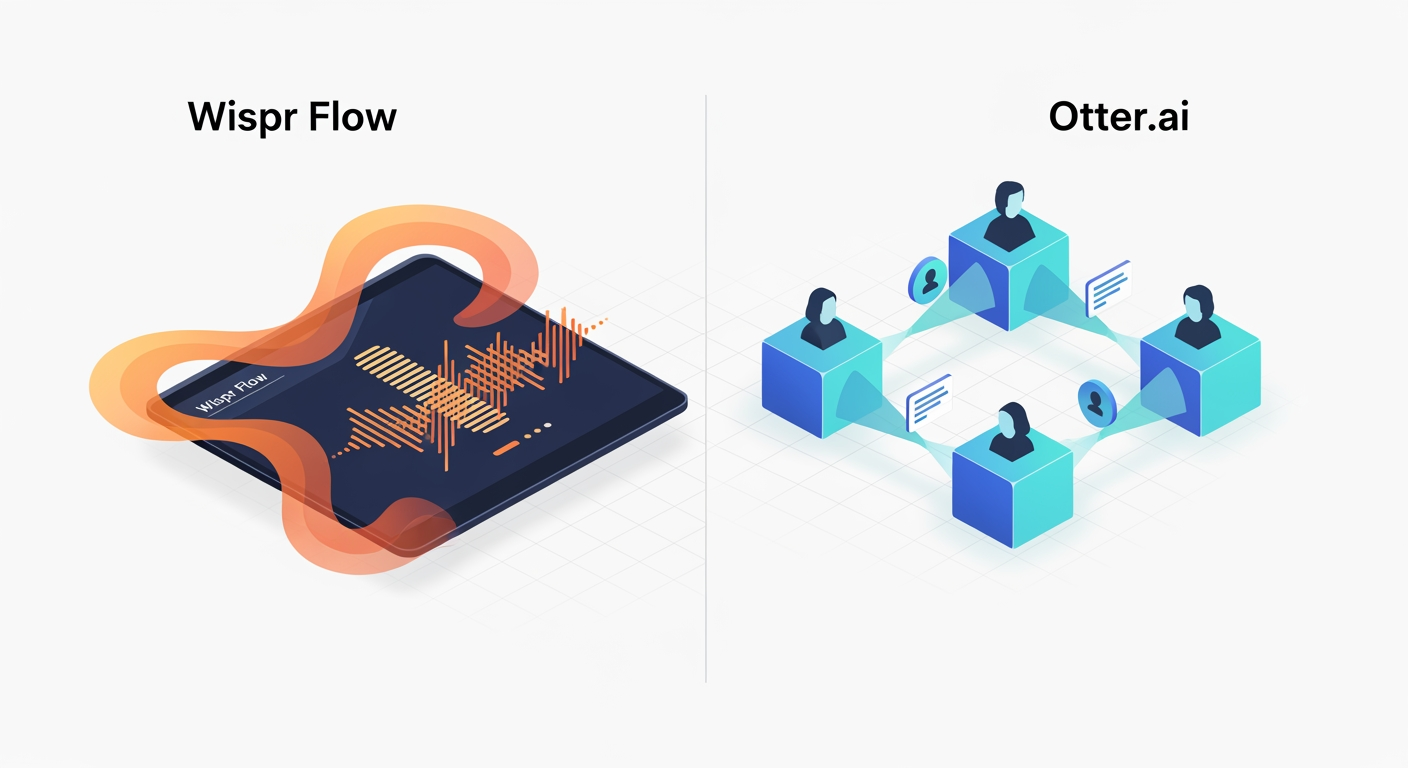
The Challenger
Otter.ai
Best for general
The Quick Verdict
Wispr Flow excels for individual productivity, like writing emails, documents, and code with voice, while Otter.ai is superior for team collaboration, specifically recording and summarizing meetings. Wispr Flow excels for individual productivity, like writing emails, documents, and code with voice, while Otter.ai is superior for team collaboration, specifically recording and summarizing meetings.
Independent Analysis
Feature Parity Matrix
| Feature | Wispr flow from $50/mo | Otter.ai from $16.99/mo |
|---|---|---|
| Pricing model | paid | freemium |
| manual workflow design | Meticulously design data and process workflows with granular manual control. | |
| precise control execution | Execute workflow steps with exact manual oversight. | |
| complex workflow management | Manage intricate and multi-step data or operational processes. | |
| data pipeline orchestration | Orchestrate complex data movement and transformation pipelines. | |
| workflow troubleshooting tools | Identify and resolve issues within workflows efficiently. | |
| process automation customization | Customize and control automated processes with manual intervention points. | |
| custom vocabulary | ||
| ai meeting summaries | ||
| searchable transcripts | ||
| speaker identification | ||
| real time transcription | ||
| audio playback sync text | ||
| integrations zoom teams meet |
Neither is universally 'better'; they serve different primary purposes. Wispr Flow excels for individual productivity, like writing emails, documents, and code with voice, while Otter.ai is superior for team collaboration, specifically recording and summarizing meetings.
Verdict: Wispr Flow for Individual Productivity, Otter.ai for Team Collaboration
Wispr Flow makes individual work faster. It excels at writing emails, documents, and code directly within existing applications. Solo professionals who want to replace typing with clear, edited voice input will prefer it. Otter.ai, however, excels at team collaboration. It records and summarizes meetings effectively. The tool identifies speaker contributions and assigns action items after group calls. Choose Wispr Flow for personal output. Select Otter.ai for team communication and meeting intelligence.
Who Should Use Wispr Flow?
Wispr Flow functions as a universal voice-to-text keyboard, operating across all applications. It excels at writing emails, documents, and code directly in your existing programs. This tool is the preferred choice for solo professionals. They replace keyboard typing with polished, edited voice input. Developers value its "Vibe Coding" features, which include voice-based file tagging and variable recognition within IDEs like Cursor and VS Code. Wispr Flow also helps users with RSI, arthritis, or mobility challenges by acting as a reliable keyboard replacement.
Pro tip
If your primary goal is to accelerate personal writing across diverse applications, Wispr Flow is an effective solution. Its contextual intelligence adapts tone, and its developer mode handles intricate coding tasks with voice commands.
Who Should Use Otter.ai?
Otter.ai operates as a meeting transcription assistant, designed for group conversations. It wins in recording and summarizing meetings, documenting interviews, and creating searchable team archives. Choose Otter.ai if you need to identify who said what and assign action items after a group call. Its unique advantages include visual context capture, automatically inserting slides and whiteboard sketches into notes during virtual meetings. Cross-meeting intelligence allows users to query their entire meeting history for specific decisions. Its collaborative workspace also allows multiple team members to highlight and comment on live transcripts as they happen.
Pro tip
For teams needing to capture, analyze, and collaborate on meeting content, Otter.ai offers strong solutions. Its speaker identification and action item extraction are invaluable for post-meeting follow-up.
Key Differences: Wispr Flow vs. Otter.ai (Comparison Table)
While both are voice-to-text platforms, Wispr Flow and Otter.ai serve fundamentally different purposes. Wispr Flow acts as an AI-powered voice keyboard for system-wide writing, while Otter.ai functions as a meeting intelligence platform, capturing and facilitating collaboration on group conversations.
| Feature | Wispr Flow | Otter.ai |
|---|---|---|
| Core Function | Universal voice-to-text keyboard for writing across all apps. | Meeting transcription assistant for group conversations. |
| Transcription Style | Context-aware AI editing; removes filler words, fixes grammar, and adapts tone per app. | Speaker identification (diarization); distinguishes multiple voices in a conversation. |
| Advanced Tools | Command Mode for voice editing existing text and Snippet Library for text expansion. | OtterPilot to auto-join calls, generate summaries, and extract action items. |
| Language Support | 100+ languages with automatic detection and code-switching. | Limited (transcription in English, French, and Spanish only). |
| Privacy Model | Cloud-based; Privacy Mode offers zero-data retention but not offline processing. | Cloud-based; data stored on AWS servers until deleted by user. |
Feature Deep Dive: Capabilities, Integrations, and Limitations
Wispr Flow's advanced tools include Command Mode for voice editing existing text. It also offers a Snippet Library for text expansion. The platform supports over 100 languages, featuring automatic detection and code-switching. Its privacy model is cloud-based; a Privacy Mode offers zero-data retention but does not support offline processing. Wispr Flow's contextual intelligence automatically adjusts tone from casual to professional based on the application, such as Slack or Gmail. Its Vibe Coding, or Developer Mode, integrates with IDEs like Cursor, Windsurf, and VS Code, supporting voice-based file tagging and variable recognition. The tool provides accessibility independence, acting as a reliable keyboard replacement for users with RSI, arthritis, or mobility challenges. Wispr Flow integrates with any text field on Mac, Windows, iOS, and Android. It has specialized integrations for development tools like GitHub, Cursor, and Windsurf. API access is currently private, working with a limited set of partners, though an interest form exists for future expansion. Limitations include its cloud-only operation, requiring an active internet connection; dictation ceases if the internet drops. It incurs significant system overhead, consuming approximately 800MB of RAM and 8% CPU even when idle. For improved accuracy, Wispr Flow collects context by capturing screenshots of the active window. Users can configure this feature, which is enabled by default.
Otter.ai offers advanced tools like OtterPilot, which automatically joins calls, generates summaries, and extracts action items. Its language support is limited to English, French, and Spanish for transcription. The platform employs a cloud-based privacy model, storing data on AWS servers until the user deletes it. Otter.ai's unique advantages include visual context capture, automatically embedding slides and whiteboard sketches from virtual meetings into notes. Cross-meeting intelligence allows users to query their entire meeting history to find specific decisions across multiple past sessions. A collaborative workspace enables multiple team members to highlight and comment on live transcripts. Otter.ai integrates deeply with video conferencing platforms such as Zoom, Microsoft Teams, and Google Meet. It also connects with productivity tools like Slack, Salesforce, HubSpot, Zapier, and Dropbox. Enterprise users can access the API via the Otter Connect API v2. Limitations include the absence of an "Airplane Mode," meaning it requires an active internet connection for real-time transcription. Accuracy drops to 70-80% in noisy environments or with heavy accents. Otter.ai recently reduced its Pro plan's transcription caps by 80%, dropping from 6,000 to 1,200 minutes per month without a corresponding price reduction.
Pricing Breakdown: Tiers, Discounts, and Hidden Costs
Both Wispr Flow and Otter.ai offer tiered pricing.
Wispr Flow Pricing
Wispr Flow offers four main tiers with annual discounts and student benefits.
| Plan | Monthly Price | Annual Price (Billed Yearly) | Word Limits & Features |
|---|---|---|---|
| Flow Basic | Free | Free | 2,000 words/week on Mac/Windows; 1,000 words/week on iPhone. |
| Flow Pro | $15 per user | $12 per user ($144/year) | Unlimited words, Command Mode (AI editing), and priority support. |
| Flow Teams | $12 per user | $10 per user ($120/year) | Includes shared dictionary and snippets, centralized billing, and admin controls. |
| Flow Enterprise | $30 per user | $24 per user ($288/year) | Includes SSO, SOC 2 Type II, ISO 27001, and enforced HIPAA compliance. |
New accounts automatically receive a 14-day trial of Flow Pro with no credit card required.
Pro tip
Students with a .edu email address get 3 months free, then a permanent 50% discount, paying only $6/month.
Pro tip
New users can claim a $15 referral credit, applicable towards their first month of Flow Pro.
Watch out: Wispr Flow consumes approximately 800MB of RAM and 8% CPU even when idle. There is no lifetime purchase option, impacting long-term cost considerations.
Otter.ai Pricing
Otter.ai structures its pricing around transcription minutes and meeting-specific collaboration features.
| Plan | Monthly Price | Annual Price (Billed Yearly) | Minute Limits & Conversation Caps |
|---|---|---|---|
| Basic | Free | Free | 300 minutes/month; 30-minute cap per conversation. |
| Pro | $16.99 | $8.33 ($100/year) | 1,200 minutes/month; 90-minute cap per conversation. |
| Business | $30 per user | $19.99 per user ($240/year) | Unlimited transcription; 4-hour cap per conversation. |
| Enterprise | Custom | Custom | Unlimited minutes and custom bots for Sales Notetaker. |
Pro tip
Otter offers a 20% discount for individual students and teachers with a .edu email. This reduces the Pro plan to $13.59/month (monthly) or $6.67/month ($79.99 annually).
Add-ons and extra fees apply for certain functionalities. Users can purchase additional minute blocks as Top-up Blocks if they exceed their monthly limit. Integrated live captioning for Zoom via RTMP incurs additional fees. HIPAA Compliance is available only as an add-on for the Enterprise tier.
Watch out: Otter.ai's Pro plan recently saw an 80% reduction in included minutes, dropping from 6,000 to 1,200 minutes/month without a corresponding price drop. The Pro tier is limited to only 10 audio/video file imports per month. Otter does not offer refunds for mid-cycle cancellations of annual plans. Developers are charged $0.02 per minute for audio transcribed via API.
Wispr Flow: Pros and Cons
Wispr Flow excels at individual productivity, transforming how users interact with their devices. It is the superior tool for writing emails, documents, and code directly in existing applications. Solo professionals benefit immensely, replacing traditional typing with polished, edited voice input. Users praise its speed and efficiency, calling it a "superpower" and reporting writing speeds of 150-184 words per minute, significantly faster than average typing. Its intelligence is highly valued; users describe it as "the closest thing to having your thoughts flow directly onto the screen," as it removes filler words and corrects backtracking. Developers specifically appreciate "Vibe Coding," which includes voice-based file tagging and variable recognition in IDEs. Reviewers often commend its "best UI" among AI dictation tools. However, Wispr Flow has drawbacks. It consumes approximately 800MB of RAM and 8% CPU, even when idle, leading to user complaints about resource drain. Its privacy model raises concerns, with some users uncomfortable about the tool capturing screenshots of the active window, a default setting to provide context for the AI. This cloud-only tool requires an active internet connection; dictation stops if connectivity drops. The absence of a lifetime purchase option, alongside its annual cost, also frustrates some users.
Otter.ai: Pros and Cons
Otter.ai shines in team collaboration scenarios. It is the better choice for recording and summarizing meetings, documenting interviews, and creating searchable team archives. The platform excels at identifying who said what and assigning action items after group calls. Unique advantages bolster its collaborative utility: visual context capture automatically inserts slides and whiteboard sketches into notes during virtual meetings. Cross-meeting intelligence allows users to query their entire meeting history for specific decisions. A collaborative workspace enables multiple team members to highlight and comment on live transcripts. The OtterPilot bot receives praise for automatically generating summaries and action items, reducing post-meeting administrative work. However, Otter.ai faces significant criticisms. Its Pro plan minutes were recently reduced by 80% (from 6,000 to 1,200 minutes/month) without a price reduction, a major point of user dissatisfaction. The Pro plan also imposes file import caps. Otter.ai does not offer refunds for mid-cycle cancellations of annual plans. Limitations include the lack of an "Airplane Mode," requiring an active internet connection for real-time transcription. Accuracy drops to 70-80% in noisy environments or with heavy accents. Some users find the visible "Otter.ai" bot in meetings distracting or awkward for clients, and certain companies block these bots entirely.
User Reviews: What People Are Saying
User feedback highlights the distinct strengths and weaknesses of both Wispr Flow and Otter.ai.
Wispr Flow User Ratings and Opinions
Wispr Flow garners high ratings for its accuracy and user experience but faces criticism for its resource consumption and privacy approach. Product Hunt users rate it 4.8/5, and G2 users give it 4.5/5. Trustpilot, however, shows a lower 2.7/5, reflecting complaints about reliability and support.
"Wispr Flow is genuinely like a life changer."
Users praise its speed and efficiency, calling it a "superpower" enabling writing at 150-184 words per minute, significantly faster than average typing. Its intelligence is lauded as "the closest thing to having your thoughts flow directly onto the screen," as it removes filler words and corrects hesitations like "meet Tuesday — wait, Wednesday" into "meet Wednesday." Software engineers highly value "Vibe Coding," which facilitates voice-based file tagging and variable recognition in IDEs. Many reviewers state Wispr Flow "by far has the best UI" among AI dictation tools. Yet, complaints persist. A common issue is resource drain; the app consumes "~800MB of RAM and 8% CPU" even when idling. Its privacy model draws discomfort from users regarding the tool "capturing screenshots of the active window" for context, a default setting. While the Mac version is praised, the Windows version is reported as less stable, occasionally cutting off the first word of dictation. The $144–$180 annual cost, without a lifetime license option, also frustrates users.
Otter.ai User Ratings and Opinions
Otter.ai is widely considered an industry standard for meeting intelligence, though recent policy changes have caused user dissatisfaction. G2 rates it 4.4/5.
Users commend its "industry-leading" speaker identification (diarization), distinguishing voices even in crowded hybrid rooms. The OtterPilot bot is praised for reducing post-meeting administrative work by hours, automatically generating summaries and action items. Users value the "Visual Context" feature, which automatically captures slides and whiteboards during calls. For corporate teams needing searchable archives of past conversations, it is described as "indispensable." However, users have heavily criticized the recent 80% reduction in Pro plan minutes (from 6,000 to 1,200 minutes) without a price reduction. Accuracy issues arise, with performance dropping to 70–80% in noisy environments or with heavy accents. Some users find the visible "Otter.ai" bot in meetings distracting or awkward for clients, and certain companies block these bots. Otter also faces criticism for not offering prorated refunds for mid-cycle cancellations of annual plans.
Expert Analysis: Strategic Positioning and Market Fit
Wispr Flow and Otter.ai occupy distinct niches within the voice-to-text market. Wispr Flow positions itself as an AI-powered voice keyboard, fundamentally focused on system-wide writing. Otter.ai, in contrast, functions as a meeting intelligence platform. This core difference dictates their respective market fits. Wispr Flow's strength lies in enhancing individual productivity. It offers a direct, system-wide voice input method, allowing users to compose emails, code, and documents with edited, polished voice input. Its contextual intelligence, adjusting tone based on the application, and developer-specific features like "Vibe Coding" highlight its specialization for solo professionals and coders. These unique advantages differentiate it from general dictation tools. However, its cloud-only operation, system overhead, and the privacy model involving screenshot capture present limitations that users must weigh. These factors impact user experience and adoption. Otter.ai's strategic positioning revolves around team collaboration and meeting capture. Its ability to record, summarize, identify speakers, and assign action items directly addresses the challenges of group communication. Features like visual context capture and cross-meeting intelligence provide a comprehensive record of team decisions. The collaborative workspace further solidifies its role in a team environment. While its deep integration with video conferencing platforms is a strength, its cloud-only nature, accuracy drops in specific conditions, and recent pricing changes, particularly the reduction in Pro plan minutes, have created user dissatisfaction. These changes directly affect its market perception and value proposition, requiring users to re-evaluate its cost-effectiveness for their specific team needs. Both tools demonstrate clear value, but their design and feature sets cater to fundamentally different use cases.
Analysis by Alex Chen, Senior Technical Analyst
The Bottom Line: Choosing Your AI Voice Assistant
Choosing between Wispr Flow and Otter.ai depends entirely on your primary need. Wispr Flow serves as a personal, polished, system-wide dictation tool. It accelerates writing across applications, from emails to code. This makes it ideal for individual productivity, enhancing your personal output. Conversely, Otter.ai is the clear choice for collaborative meeting capture, summarization, and team intelligence. It excels at documenting group discussions, identifying speakers, and extracting action items. Consider the recent changes to Otter.ai's Pro plan, including reduced minutes and file import caps, when evaluating its long-term cost-effectiveness. Wispr Flow's system resource usage and screenshot-based context collection are also important considerations. If your main bottleneck is typing speed between meetings, choose Wispr Flow. If your main bottleneck is forgetting details discussed during meetings, choose Otter.ai.
Frequently Asked Questions
Which is better, Wispr Flow or Otter.ai?
What are the main features of Wispr Flow?
What are the main features of Otter.ai?
Who should use Wispr Flow?
Who should use Otter.ai?
How much does Wispr Flow cost vs Otter.ai?
Intelligence Summary
The Final Recommendation
Wispr Flow excels for individual productivity, like writing emails, documents, and code with voice, while Otter.ai is superior for team collaboration, specifically recording and summarizing meetings.
Wispr Flow excels for individual productivity, like writing emails, documents, and code with voice, while Otter.ai is superior for team collaboration, specifically recording and summarizing meetings.
Tool Profiles
Related Comparisons
Stay Informed
The SaaS Intelligence Brief
Weekly: 3 must-know stories + 1 deep comparison + market data. Free, no spam.
Subscribe Free →